 Emisteme
Free preview · Windows, macOS and Linux
Type it. Write it.
Same page.
Emisteme is a note-taking app for study and work. Structure your ideas with blocks, write over them with a pen, annotate your PDFs and plan your semester, all on your own computer.
Handwriting
Your pen belongs on the page.
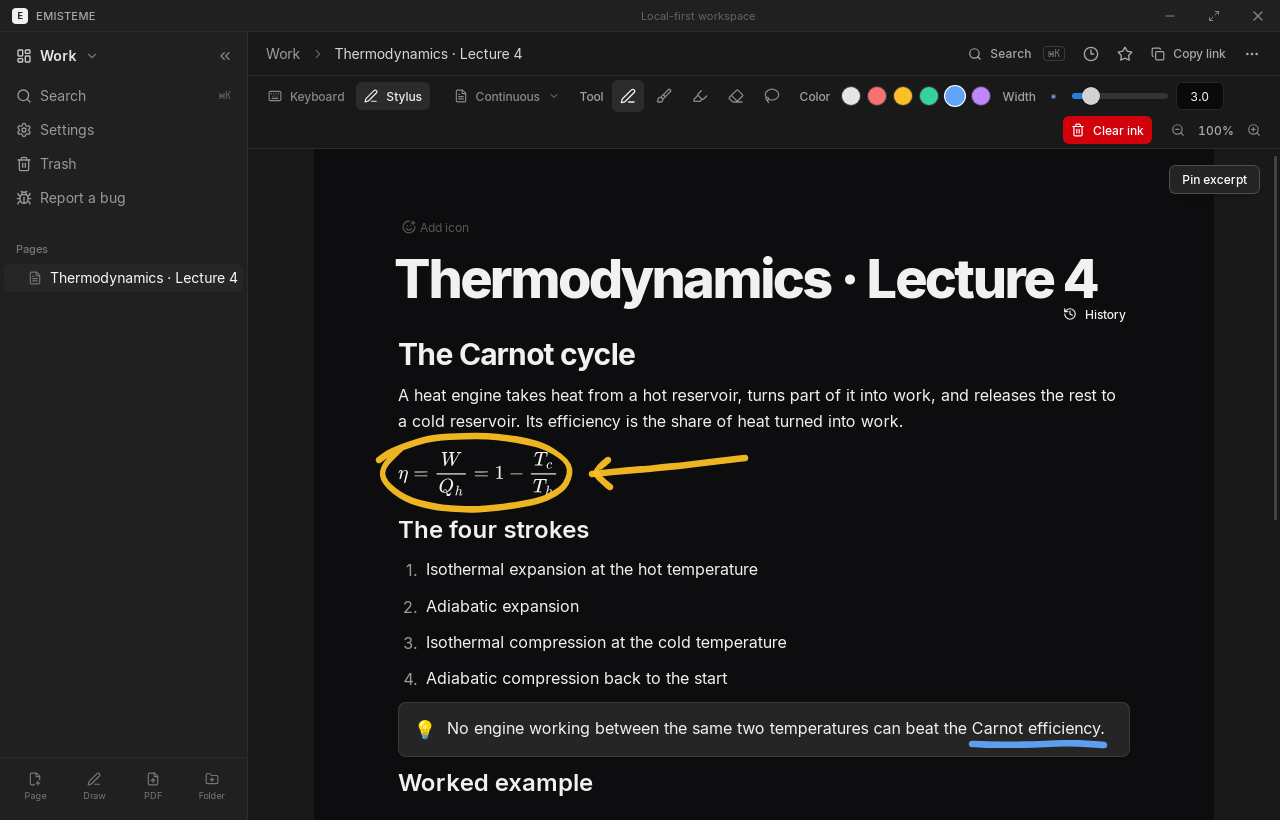
Circle a formula, sketch a diagram next to a paragraph, underline what matters. Handwriting lives on top of your typed notes, not in a separate drawing. Try it right here.
Physics · Lecture 4
The Carnot cycle
A heat engine turns part of the heat it takes from a hot reservoir into work. No engine between the same two temperatures can do better than:
η = 1 − Tc / Th
- 1. Isothermal expansion
- 2. Adiabatic expansion
- 3. Isothermal compression
- 4. Adiabatic compression
Go ahead: circle, underline, scribble. With a pen, pressure shapes the line.
Blocks
Type /, and keep going.
Tables, equations, to-dos, callouts, code, databases: a few letters after a slash and the block is there. Your hands never leave the keyboard.
Project kick-off
Goals, figures and next steps for the first week.
Basic blocks
Study
A whole semester in one app.
Instead of a notebook, a PDF reader, a spreadsheet and a calendar that never talk to each other.
Study Hub
Know where you stand.
Add your grades with their weights: Emisteme keeps every subject average and your overall average up to date, against the target you set.
- Physics5.4
- Mathematics5.1
- Economics4.7
- History5.6
Planning
See the week coming.
Exams, assignments and events in one planner, by month, week or agenda, with what is overdue always on top of the dashboard.
- MonPhysics lecture9:00
- TueEssay due14:00
- WedMaths exam10:00
- ThuGroup project16:00
- FriReading: ch. 511:00
Mon
Tue
Wed
Thu
Fri
Databases
Track anything.
Reading lists, projects, applications: one set of rows shown as a table, a board, a gallery or a list, with relations and formulas.
To read · 2
The Selfish Gene
Book
Thinking, Fast and Slow
Book
Reading · 1
Sapiens
Book
Done · 2
Atomic Habits
Book
The Design of Everyday Things
Book
Read with a pen in hand.
Highlight and write on your PDFs, add blank pages for your own working, and pin a passage next to the notes you are taking.
- Physics5.4
- Mathematics5.1
- Economics4.7
- History5.6
Everything else you would expect.
Pages made of blocks
Headings, lists, to-dos, toggles, callouts, tables, columns and a table of contents.
Handwriting everywhere
Strokes stay attached to their paragraph, and shapes straighten themselves.
Equations
LaTeX equations and inline formulas, with suggestions and alignment on =.
PDF annotations
Highlight, write, add text boxes and blank pages, and pin an excerpt.
Databases
Tables, boards, galleries and lists, with relations, rollups and formulas.
Study Hub
Grades and averages, assignments and exams, in one planner.
Export anywhere
PDF, Word, HTML, images, Markdown, or one .emisteme file.
Stored on your computer
Plain files and a local database you own, with page history.
No account. No cloud. Your notes stay yours.
Everything is saved on your computer as you type, works without internet, and exports to open formats whenever you want to leave.
Questions
Start your next page.
Free for Windows, macOS and Linux. Every version keeps itself up to date.
Download